
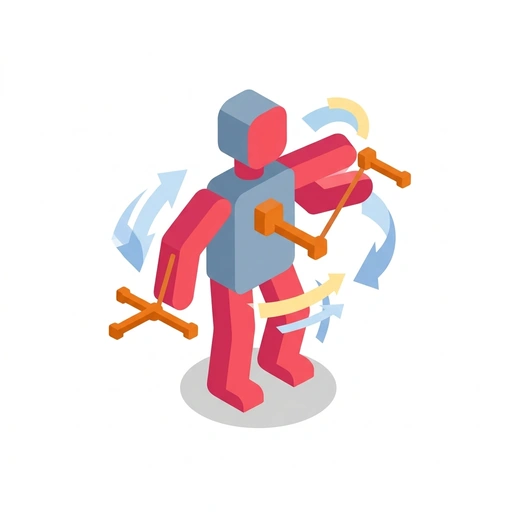
Animation with Blender
Learn how Blender turns flat digital shapes into expressive, living 3D animation. Master viewport navigation, keyframing, timing curves, and the final render pipeline to create your own animated scenes.
Like Duolingo, but for Animation with Blender. Tomo turns the whole topic into a game you play five minutes a day, until it actually sticks.
27 levels across 4 sections, about 54 minutes end to end, roughly 11 days at five minutes a day. It moves through Your First Moving Scene; Building and Linking Objects; Controlling Motion and Performance; and Lighting, Surface, and the Final Render. It starts from scratch.
Free forever · No credit card · iPhone & Android
Key ideas in Animation with Blender
- Orbiting spins your virtual camera around the focal point to see the scene from different angles
- Panning slides your viewpoint across the scene plane without changing the viewing angle
- Zooming moves your vantage point in and out to focus on fine details or view the full stage
- In Blender's 3D coordinate space, Z controls the vertical up-and-down axis
- X typically represents left-and-right movement across the grid
- Y typically represents forward-and-backward depth across the ground
- A keyframe locks in an object's current position at a specific frame number
- Moving the playhead forward on the timeline establishes a later point in time
- Repositioning the object and recording a second keyframe lets the software interpolate the motion between the two points
- Hitting the spacebar runs real-time playback at the project's target frame rate
- Human perception of weight, speed, and rhythm relies on watching continuous movement at full speed, not manual dragging
- Animating with simple primitive shapes like spheres or cubes isolates fundamental mechanics like arc, timing, and weight
- Complex models add secondary moving parts (limbs, fingers, clothing) that make timing errors harder to spot and fix early on
- In Blender, G stands for Grab to translate or move items
- R triggers Rotation around the current viewing angle or pivot
- S triggers Scaling to make models bigger or smaller
You've tried the other tabs
Thirty open tabs. Four facts you actually kept.
You watched. You nodded. By Sunday it was gone.
One answer, then back to scrolling.
Eight weeks. You meant to finish. You didn't.
Tomo gives Animation with Blender the Duolingo treatment: levels, streaks, and quick quizzes that test what you just learned. That game loop is what the tabs above never had, so it's the one you actually finish.
Here's what playing it feels like
A real question from this course. Take your best guess.
What happens when you pan across your 3D viewport?
Get it right to open this lesson and 26 more in the app.
How to learn Animation with Blender, step by step
Go in order. 27 short levels across 4 sections, about 54 minutes in all, five minutes a day.
- 1
Your First Moving Scene
- Moving Your First Object
- Navigating the 3D Workspace
- 2
Building and Linking Objects
- Shaping Meshes for Movement
- Connecting Parts with Hierarchies
- 3
Controlling Motion and Performance
- Polishing Timing in the Graph Editor
- Posing with Skeletons and Rigs
- 4
Lighting, Surface, and the Final Render
- Materials and Shading
- Camera Direction and Lighting
- Rendering and Exporting the Animation
4 sections · 9 units · 27 levels. Built to play, not to enroll.
Questions about Animation with Blender
How do I learn Animation with Blender?
Go in order: start with Your First Moving Scene, then Building and Linking Objects, then Controlling Motion and Performance, then Lighting, Surface, and the Final Render. On Tomo that's 27 short levels, about 54 minutes in all, played five minutes a day. Start free and play the first level in under a minute.
Is there a Duolingo-style app for Animation with Blender?
Yes. Tomo works like Duolingo: short daily lessons, streaks and quick quizzes. Animation with Blender is one of its free courses, and you can type any other topic to get a course of your own.
Is the Animation with Blender course free?
Yes. Animation with Blender is playable on Tomo's free plan, which doesn't expire. No credit card, no waitlist. Download the app and start your first lesson.
How long does it take to learn Animation with Blender?
27 levels across 4 sections, about 54 minutes of play in total. It's built for five minutes a day, so you finish it a little at a time instead of all at once.
Do I need any background to start Animation with Blender?
No. It's pitched at a beginner level, so it starts where you are and builds up. If you can tap a phone, you can start.
Tomo is in ChatGPT
Tomo is also a ChatGPT plugin: the same playable courses, built and played inside your chat.
Add Tomo to ChatGPT- What to ask
- “Make me a Tomo course on black holes.” “Turn this chat into a Tomo course.”
- What you get
- Quick questions with instant feedback, hearts and stars, ready to play in about a minute.
- Where it goes
- No sign-up to start. Connect your Tomo account and your streak carries on in the app.
You pick the voice
Animation with Blender is taught in the Professor style: clear, structured, thorough. Want a different feel? In the app you can spin up the same topic in any of Tomo's teaching styles. Same facts, totally different vibe.
More Technology on Tomo

Creative 3D Web Development
Bridge the gap between flat UI and immersive 3D experiences. Master Three.js, shaders, and React Three Fiber to build high-performance, interactive digital worlds.
C++: Foundations and Pitfalls
Build a robust mental model of C++ from your first program to complex systems. Uncover the subtle language traps and memory quirks that catch even experienced programmers.

Building Games in Godot
Learn to create 2D games from scratch using the Godot engine. Master scenes, GDScript, physics interactions, and game feel to bring your interactive ideas to life.

Camera Essentials for Video Content
Transform your video quality by taking full control of your camera. Learn how to frame clean shots, dial in manual settings for crisp motion, capture clean audio, and build a reliable filming routine.

Interactive Dashboards with Power BI
Transform static spreadsheets into dynamic, clickable visual reports. Learn how to clean messy data, build multi-table relationships, and write flexible calculations that adapt to user interaction.

How Robots See
Discover how intelligent machines transform flat camera feeds into real-world action. Learn how robots detect objects, measure depth, track targets, and map unfamiliar rooms using video.
Start Animation with Blender today.
Download Tomo, search Animation with Blender, and play your first lesson in under a minute.