
Robots and Digital Companions
Bridge the gap between code and the physical world by building intelligent machines and responsive digital friends. Learn to program sensors, movement, and personality from the ground up.
Like Duolingo, but for Robots and Digital Companions. Tomo turns the whole topic into a game you play five minutes a day, until it actually sticks.
71 levels across 8 sections, about 142 minutes end to end, roughly 28 days at five minutes a day. It moves through The First Spark, Sensing the Environment, Logic and Decision Making, Movement and Mechanics, Personality and Interaction, Handling Complexity, Connecting to the World, and The Ethics of Creation. It starts from scratch.
Free forever · No credit card · iPhone & Android
Key ideas in Robots and Digital Companions
- Code must be written in a specific order to achieve a result
- The machine cannot act until the code is transferred to its memory
- Computers execute instructions exactly as written without guessing intent
- The logical flow from human goal to machine execution
- The main loop repeats indefinitely while the power is on
- Code outside the loop only runs once at startup
- A 'heartbeat' loop prevents the machine from finishing its task and sitting idle
- The role of the Main Loop in keeping a machine responsive
- Digital signals are binary (on/off or high/low)
- Output is the machine sending a signal to the physical world
- An LED is the most basic visual confirmation that a circuit is receiving code commands
- Syntax is the strict set of rules a computer uses to read code
- A single missing character can cause the entire program to fail to run
- Testing one small change at a time makes it easy to find errors
- Identifying digital output as a binary state change
- Immediate feedback prevents 'stacking' multiple bugs that are hard to untangle
You've tried the other tabs
Thirty open tabs. Four facts you actually kept.
You watched. You nodded. By Sunday it was gone.
One answer, then back to scrolling.
Eight weeks. You meant to finish. You didn't.
Tomo gives Robots and Digital Companions the Duolingo treatment: levels, streaks, and quick quizzes that test what you just learned. That game loop is what the tabs above never had, so it's the one you actually finish.
Here's what playing it feels like
A real question from this course. Take your best guess.
What must happen before a machine can start moving based on your code?
Get it right to open this lesson and 70 more in the app.
Where Robots and Digital Companions takes you
- 1
The First Spark
- Making a Machine Wake Up
- Your First Digital Conversation
- 2
Sensing the Environment
- Eyes and Ears: Sensor Basics
- Digital Listening and Pattern Matching
- 3
Logic and Decision Making
- The Robot's Internal State
- Complex Branching and Trees
- 4
Movement and Mechanics
- Precision Motion Control
- Navigating the Physical World
- Expressive Robot Body Language
- 5
Personality and Interaction
- Crafting a Digital Voice
- Context and Memory
- 6
Handling Complexity
- Multitasking and Concurrency
- Modular Engineering
- Error Recovery and Robustness
- 7
Connecting to the World
- The Companion's Knowledge Base
- Remote Control and Interfaces
- 8
The Ethics of Creation
- Safety and Hard-Coded Limits
- The Future of Your Creations
8 sections · 18 units · 71 levels. Built to play, not to enroll.
Tomo is in ChatGPT
Tomo is also a ChatGPT plugin: the same playable courses, built and played inside your chat.
Add Tomo to ChatGPT- What to ask
- “Make me a Tomo course on black holes.” “Turn this chat into a Tomo course.”
- What you get
- Quick questions with instant feedback, hearts and stars, ready to play in about a minute.
- Where it goes
- No sign-up to start. Connect your Tomo account and your streak carries on in the app.
You pick the voice
Robots and Digital Companions is taught in the Explain Like I'm 5 style: no big words. promise.. Want a different feel? In the app you can spin up the same topic in any of Tomo's teaching styles. Same facts, totally different vibe.
More Technology on Tomo
How Robots Work
Discover how machines sense the physical world, make real-time decisions, and move with precision. Learn the core principles behind autonomous navigation, mechanical manipulation, and feedback control.
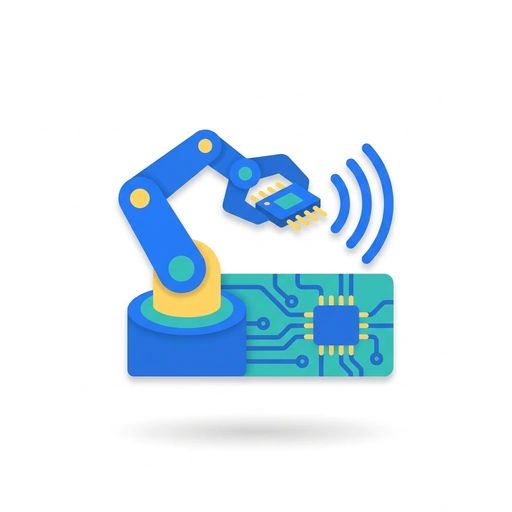
Everyday Microcontrollers and Robotics
Discover how tiny computer chips bring modern gadgets, appliances, and medical monitors to life. Learn to connect sensors, drive motors, and write clean control logic to turn electronic parts into working automated machines.
Vibe Coding: Building Software with Intent
Learn to build functional applications by describing your vision rather than writing syntax. This course covers the mindset, tools, and workflows of the new era of AI-driven development.
Building Apps That Stick Together
Move beyond writing code to building complete systems. Learn how to connect your logic to the real world, manage data flow without the mess, and make confident architectural choices that stop decision fatigue.
Software Engineering: Systems & Science
Bridge the gap between working code and rigorous software systems. Explore the cognitive mechanics of human-computer interaction, the internal machinery of modern databases, formal theoretical computer science, and empirical research methods for evaluating software in practice.
Writing Your First Python Scripts
Build a working intuition for the world's most popular programming language. Learn how Python stores information, makes decisions, and automates repetitive tasks with clean, readable code.
Start Robots and Digital Companions today.
Download Tomo, search Robots and Digital Companions, and play your first lesson in under a minute.