
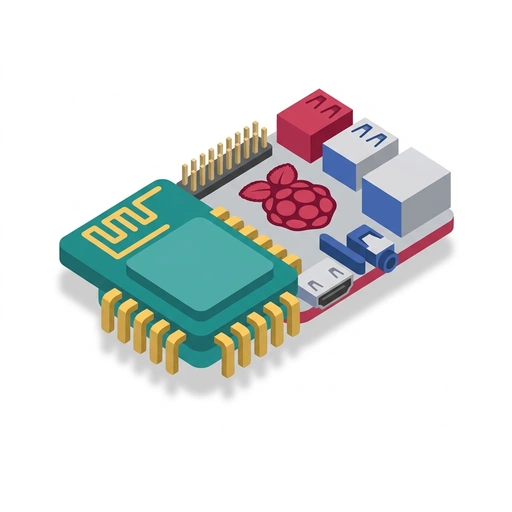
Raspberry Pi and ESP Hardware
Learn how microcontrollers and single-board computers bring physical projects to life. Discover how to choose the right board, wire sensors, write firmware, and build reliable smart devices.
Like Duolingo, but for Raspberry Pi and ESP Hardware. Tomo turns the whole topic into a game you play five minutes a day, until it actually sticks.
24 levels across 3 sections, about 48 minutes end to end, roughly 10 days at five minutes a day. It moves through Getting Started with Physical Computing, Building Practical Projects, and Under the Hood and Long-Term Reliability. It starts from scratch.
Free forever · No credit card · iPhone & Android

Key ideas in Raspberry Pi and ESP Hardware
- An ESP32 or Raspberry Pi Pico is a microcontroller that boots straight into a single program loop
- A full Raspberry Pi boots a complete Linux operating system that runs multiple background services and programs simultaneously
- Microcontrollers execute instructions directly on hardware without interruption, giving microsecond-level timing
- A full Raspberry Pi runs an OS that schedules many tasks, which can introduce small, unpredictable delays in pin responses
- A full Raspberry Pi continuously writes to its storage drive, so pulling the plug without a software shutdown can corrupt the filesystem
- Microcontrollers like the ESP32 store their code in flash memory and can be safely unplugged at any second
- Microcontrollers (ESP, Pi Pico) excel at direct hardware interaction: flipping switches, reading raw sensors, and exact timing
- Single-board computers (Raspberry Pi 4/5) are needed for heavy data tasks like video feeds, local servers, and complex graphical interfaces
- The Raspberry Pi Pico is a low-cost microcontroller, not a full computer with display outputs and a desktop
- The Pico competes directly with other bare-metal microcontroller boards like the ESP32 and ESP8266, rather than its full-sized Pi siblings
- Your code chooses whether each pin on an ESP or Raspberry Pi acts as an input or an output
- A GPIO pin set to output supplies voltage to turn things like LEDs or buzzers on or off
- A GPIO pin set to input checks whether an outside voltage is present, such as from a button press or sensor signal
- Raspberry Pi and ESP boards run their GPIO pins at 3.3V logic
- Sending 5V directly into a 3.3V pin can permanently fry the pin or destroy the main chip
- Interfacing a 5V sensor with a 3.3V board requires a voltage divider or level shifter to step the signal down
You've tried the other tabs
Thirty open tabs. Four facts you actually kept.
You watched. You nodded. By Sunday it was gone.
One answer, then back to scrolling.
Eight weeks. You meant to finish. You didn't.
Tomo gives Raspberry Pi and ESP Hardware the Duolingo treatment: levels, streaks, and quick quizzes that test what you just learned. That game loop is what the tabs above never had, so it's the one you actually finish.
Here's what playing it feels like
A real question from this course. Take your best guess.
What does a full-sized Raspberry Pi do when you plug it into power?
Get it right to open this lesson and 23 more in the app.
How to learn Raspberry Pi and ESP Hardware, step by step
Go in order. 24 short levels across 3 sections, about 48 minutes in all, five minutes a day.
- 1
Getting Started with Physical Computing
- Microcontroller or Full Computer: Picking Your Board
- Talking to the Real World Through GPIO
- 2
Building Practical Projects
- ESP in the Wild: Connected Smart Sensors
- The Raspberry Pi as a 24/7 Home Brain
- Reading Signals: Sensors, Actuators, and Interfaces
- 3
Under the Hood and Long-Term Reliability
- Bus Conversations: How Chips Talk to Sensors
- Memory, Storage, and Operating Systems
- Power, Heat, and Fail-Safe Engineering
3 sections · 8 units · 24 levels. Built to play, not to enroll.
Questions about Raspberry Pi and ESP Hardware
How do I learn Raspberry Pi and ESP Hardware?
Go in order: start with Getting Started with Physical Computing, then Building Practical Projects, then Under the Hood and Long-Term Reliability. On Tomo that's 24 short levels, about 48 minutes in all, played five minutes a day. Start free and play the first level in under a minute.
Is there a Duolingo-style app for Raspberry Pi and ESP Hardware?
Yes. Tomo works like Duolingo: short daily lessons, streaks and quick quizzes. Raspberry Pi and ESP Hardware is one of its free courses, and you can type any other topic to get a course of your own.
Is the Raspberry Pi and ESP Hardware course free?
Yes. Raspberry Pi and ESP Hardware is playable on Tomo's free plan, which doesn't expire. No credit card, no waitlist. Download the app and start your first lesson.
How long does it take to learn Raspberry Pi and ESP Hardware?
24 levels across 3 sections, about 48 minutes of play in total. It's built for five minutes a day, so you finish it a little at a time instead of all at once.
Do I need any background to start Raspberry Pi and ESP Hardware?
No. It's pitched at a beginner level, so it starts where you are and builds up. If you can tap a phone, you can start.
Tomo is in ChatGPT
Tomo is also a ChatGPT plugin: the same playable courses, built and played inside your chat.
Add Tomo to ChatGPT- What to ask
- “Make me a Tomo course on black holes.” “Turn this chat into a Tomo course.”
- What you get
- Quick questions with instant feedback, hearts and stars, ready to play in about a minute.
- Where it goes
- No sign-up to start. Connect your Tomo account and your streak carries on in the app.
You pick the voice
Raspberry Pi and ESP Hardware is taught in the Pirate style: arr, learning be an adventure!. Want a different feel? In the app you can spin up the same topic in any of Tomo's teaching styles. Same facts, totally different vibe.
More Technology on Tomo
Practical Electronics: From Circuits to Chips
Learn how electricity is harnessed, amplified, and programmed to power modern hardware. Explore real-world circuits from basic LEDs and transistors up to microcontrollers, op-amps, and commercial silicon chips.
Everyday Microcontrollers and Robotics
Discover how tiny computer chips bring modern gadgets, appliances, and medical monitors to life. Learn to connect sensors, drive motors, and write clean control logic to turn electronic parts into working automated machines.
Practical Circuit Design
Move beyond basic breadboard recipes to design reliable, real-world circuits. Learn to drive high-power loads, shape signals with op-amps, clean up noisy power rails, and debug circuits with confidence.
How Operating Systems Work
Discover the invisible conductor running inside your computer. Learn how operating systems juggle dozens of apps, safeguard your memory, and turn raw hardware into a seamless experience.
Designing Electronic Systems
Bridge the gap between simple breadboard circuits and robust, functional hardware systems. Learn how to condition analog signals, manage power and switching loads, coordinate noisy digital communication, and track down real-world hardware bugs.
Real-World Circuit Behavior
Bridge the gap between theoretical schematics and functioning physical hardware. Learn how to diagnose live signals on a scope, stabilize op-amp circuits, and eliminate insidious board noise.
Start Raspberry Pi and ESP Hardware today.
Download Tomo, search Raspberry Pi and ESP Hardware, and play your first lesson in under a minute.